Before a game enters full production, teams often need to answer a practical question: how will this game actually look and feel when presented to players? A written concept document or a collection of static images can explain the idea, but it may not fully show how a character moves, how a world feels, or how a dramatic moment unfolds on screen.
This is especially common during early-stage development, when game designers are testing ideas, preparing pitches, or discussing visual direction with artists and developers. Creating a complete cinematic trailer at this stage can require significant time and resources, making it difficult to quickly compare different creative approaches.
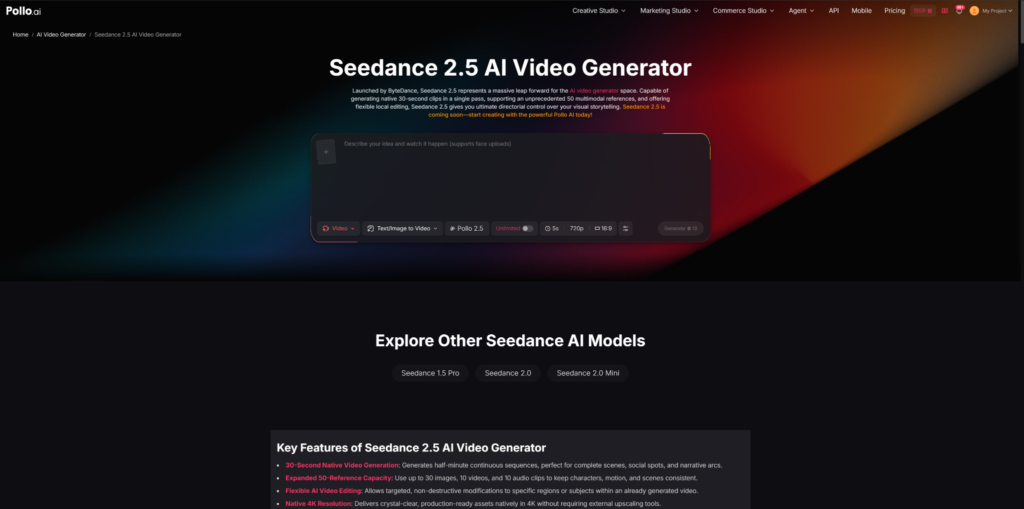
Seedance 2.5 on Pollo AI can be used as part of this early visualization process. By combining text descriptions with reference materials, designers can create trailer-style scenes to explore character introductions, environment shots, and story moments before moving into more detailed production.
What Makes Seedance 2.5 on Pollo AI Suitable for Game Trailer Scene Creation?
Game trailer production involves several challenges that are different from creating a single visual. A trailer needs continuity between shots, including consistent characters, recognizable environments, and camera movements that support the story.
Seedance 2.5 on Pollo AI supports text-to-video and image-to-video generation, while allowing users to provide multiple reference materials such as images, videos, and other visual inputs. In a game design workflow, this means creators can start with existing concept materials instead of describing every detail from scratch.
For example, an indie game team may already have a character sketch, a level design draft, and a few mood references. These materials can be used as guidance when creating a cinematic preview of the character walking through a game environment or entering an important story scene.
Another useful aspect is maintaining visual connections between different shots. When developing a trailer concept, designers usually need to test several scenes together rather than evaluate each image separately. Seedance 2.5’s ability to generate video sequences with movement and scene continuity makes it more suitable for exploring trailer ideas compared with static concept images alone.
This workflow can be helpful for different stages of game development. A small studio may use generated scenes to communicate an idea to potential partners, while a larger team may use them to discuss cinematic direction before creating final assets.
How to Generate Cinematic Game Trailer Scenes Using Seedance 2.5 on Pollo AI?
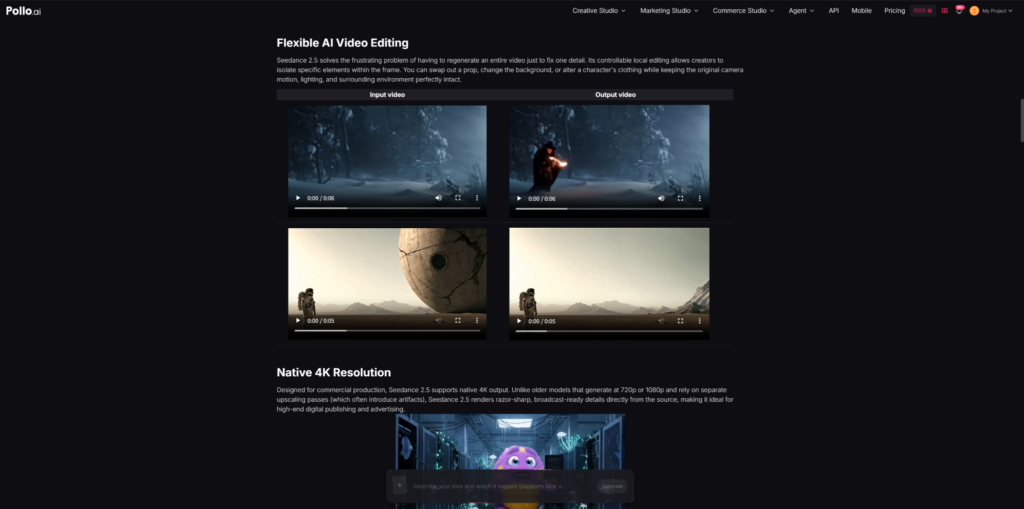
Creating a trailer scene with Seedance 2.5 on Pollo AI works best when the generation process follows a similar structure to traditional visual development. By combining AI video editor workflows with AI-generated scenes, designers can review, adjust, and organize trailer concepts more efficiently. The goal is not simply to create a video, but to use the generated result to test and improve a game concept.
1. Define the Purpose of the Trailer Scene
The first step is deciding what the scene needs to communicate. A trailer shot should usually have a clear role instead of showing random visuals.
A character introduction scene, for example, may focus on personality and appearance. An environment reveal may highlight the scale and atmosphere of the game world. An action sequence may need to show movement, conflict, and energy.
Before writing a prompt, designers can consider questions such as:
What part of the game does this scene represent?
What should players notice first?
What emotion should the scene create?
A clear purpose helps avoid generating scenes that look visually impressive but do not contribute to the overall trailer.
2. Prepare Existing Game Assets and Visual References
Reference materials are especially important when creating game-related videos because consistency matters throughout the project.
Designers can collect materials that represent the intended visual direction, including character concepts, environment artwork, costume designs, weapons, vehicles, or lighting references.
For example, a fantasy game team may provide a hero character image, a medieval city concept, and several dark fantasy references. These materials give Seedance 2.5 more context about the expected style and help keep the generated scene closer to the original design.
For teams without finished artwork, early sketches or simple visual references can also be useful. At the concept stage, the purpose is usually to explore possibilities rather than create final production assets.
3. Write Prompts Based on Cinematic Language
A common mistake when creating video scenes is describing only what appears in the frame. Cinematic trailers also depend on movement, timing, and perspective.
A stronger prompt usually includes the subject, environment, action, camera movement, and atmosphere.
For example, instead of writing:
“A warrior in an ancient city.”
A designer could describe:
“A cinematic trailer shot showing a warrior walking through an abandoned ancient city after a battle. The camera slowly moves behind the character, revealing damaged buildings, burning lights, and a large fortress in the distance.”
The second description provides more information about how the scene should unfold, which is important when creating moving footage.
4. Generate Initial Scenes and Compare Different Directions
After preparing prompts and references, designers can create the first version of the scene through Seedance 2.5 on Pollo AI.
The first output is usually best treated as a concept draft rather than a final trailer clip. Teams can compare different approaches, such as a darker visual style, a wider camera angle, or a different interpretation of the same character moment.
This stage can be useful during discussions between designers, artists, and producers. Instead of explaining an idea only through words, teams can review actual video examples and decide which direction fits the project better.
5. Refine Individual Scenes and Connect Them Into a Trailer Flow
Once the basic direction is confirmed, designers can refine important details. This may include adjusting character appearance, changing environmental elements, or improving the relationship between different shots.
A game trailer normally follows a simple narrative structure. It may begin by introducing the world, then present the main character, show gameplay-related action, and end with a memorable scene.
For example, an adventure game trailer could move from a landscape overview to a character close-up, followed by an exploration sequence and a final confrontation scene. Creating these connected moments helps the team evaluate whether the trailer communicates the intended game experience.
Conclusion
Seedance 2.5 on Pollo AI is more suitable for creators who need to quickly visualize game trailer ideas, test different cinematic directions, or communicate concepts before full production begins.
It can be useful for indie developers preparing game pitches, designers creating early concept demonstrations, and teams that need visual references before investing in detailed animation or rendering work.
For projects that already require highly polished final trailers, professional animation and video production workflows may still be necessary. However, for the early stages of game development—when teams are exploring characters, environments, and storytelling possibilities—using generated cinematic scenes can provide a practical way to review and refine ideas.